How to Create a Milan Panel Account: Step‑by‑Step Guide for Sports Betting Operators
Introduction
In the rapidly expanding world of online sports betting, having a reliable back‑office platform is essential for operators who want to manage wagers, monitor risk, and deliver a seamless user experience. Milan Panel has emerged as one of the most trusted solutions, offering real‑time data, comprehensive reporting, and multi‑currency support. For businesses just entering the market or existing operators looking to upgrade their infrastructure, creating a Milan Panel account is the first critical step toward unlocking these capabilities.
Understanding Milan Panel
Milan Panel is a cloud‑based management system designed specifically for sports betting affiliates and operators. It consolidates odds, bet tracking, player management, and financial settlement into a single, intuitive dashboard. The platform also integrates with leading payment gateways, third‑party data feeds, and promotional tools, allowing operators to scale their offerings without excessive technical overhead.
Key Benefits of Using Milan Panel
Before diving into the registration process, it helps to recognize the advantages that the platform provides:
- Real‑time odds aggregation from multiple bookmakers.
- Automated risk management with configurable limits.
- Detailed analytics for player behaviour, revenue streams, and market trends.
- Multi‑language and multi‑currency support to cater to global audiences.
- Secure API access for seamless integration with existing websites or mobile apps.
Prerequisites for Account Creation
To ensure a smooth onboarding experience, gather the following information before you begin the registration process:
- Company legal name, registration number, and jurisdiction.
- Tax identification details and relevant licensing documentation.
- Contact information for the primary account manager (name, email, phone).
- Preferred currency and payment processing partners.
- A secure email address that will serve as your login credential.
Having these items on hand reduces the back‑and‑forth with the Milan Panel support team and speeds up verification.
Step‑by‑Step Registration Process
Step 1 – Access the Sign‑Up Page
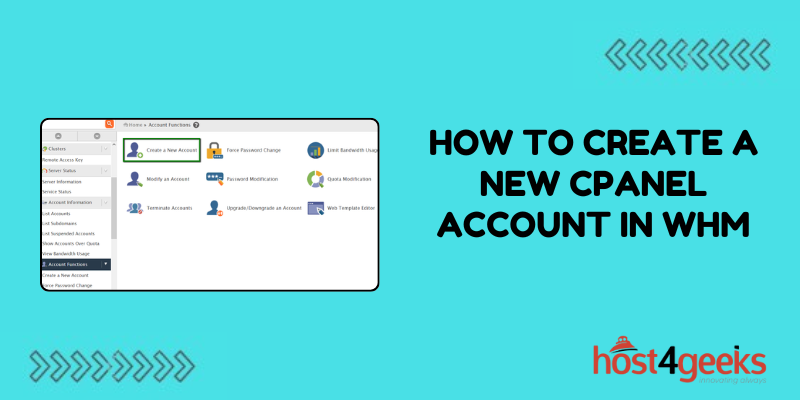
Open your web browser and navigate to the official Milan Panel registration portal. The landing page will present a clear call‑to‑action button labelled “Create New Account.” Clicking this button will direct you to a secure form where you will input your company details.
Step 2 – Fill Out Company Information
Enter the legal name of your business exactly as it appears on official documents. Provide the registration number, jurisdiction, and the date of incorporation. Accurate data is essential because the verification team cross‑checks this information against public registries.
Step 3 – Upload Licensing Documents
Milan Panel requires proof that you are operating under a valid gambling license. Accepted formats include PDF, JPEG, or PNG files. Typical documents are the license certificate, a copy of the governing body’s approval letter, and any supplemental compliance reports. Ensure the files are clear and legible to avoid delays.
Step 4 – Designate an Account Manager
Provide the full name, work email, and direct phone number of the individual who will manage the Milan Panel account on a daily basis. This person will receive verification codes and system notifications, so an active, monitored email address is crucial.
Step 5 – Set Up Security Credentials
Create a strong password that meets the platform’s complexity requirements (minimum 12 characters, including uppercase, lowercase, numbers, and special symbols). Additionally, enable two‑factor authentication (2FA) using an authenticator app or SMS. Security is a top priority for Milan Panel, and compliance with these measures protects both your business and your customers.
Step 6 – Choose Your Preferred Currency
Select the primary currency you will use for settlement. Milan Panel supports a wide range, from USD and EUR to emerging digital currencies. The chosen currency will affect how financial reports are generated and how payouts are processed.
Step 7 – Agree to Terms and Conditions
Read the service agreement carefully. It covers data protection, user responsibilities, and fee structures. By checking the acceptance box, you confirm that you understand and agree to abide by Milan Panel’s policies.
Step 8 – Submit the Application
After double‑checking all entries, click the “Submit” button. You will receive an automated email confirming receipt of your application and outlining the next steps, which typically involve a verification call or video conference with a Milan Panel compliance officer.
Verification and Activation
Most applications are processed within 24‑48 hours, provided the submitted documents are clear and complete. During verification, a compliance specialist may request additional evidence, such as proof of bank accounts or screenshots of your website’s responsible gambling statements. Once approved, you will receive a welcome email containing a temporary login link and a set of credentials for the first-time sign‑in.
Initial Login and Dashboard Walkthrough
Use the temporary credentials to log in. The platform will immediately prompt you to change the password and set up 2FA if you have not done so already. After securing your account, you will be directed to the main dashboard where the following key sections are displayed:
- Live Odds Feed – Visualise live market data from partnered bookmakers.
- Bet Management – Track open, settled, and cancelled bets across all sports.
- Financial Overview – Review deposits, withdrawals, and commission calculations.
- Player Profiles – Access detailed activity logs for each registered user.
- Promotions Center – Create and monitor bonus campaigns, affiliate links, and loyalty programs.
Customising Your Panel Settings
Every operator has unique needs, and Milan Panel offers extensive customization options. Below are some of the most commonly adjusted settings:
Risk Management Rules
Define staking limits per sport, per bet type, or per player segment. You can also set automated alerts that trigger when a player approaches a predefined loss threshold, helping you mitigate exposure in real time.
Commission Structures
Configure commission percentages based on player activity, revenue brackets, or promotional periods. The platform automatically calculates payouts, reducing manual bookkeeping errors.
API Integration
If you run your own website or mobile app, generate API keys in the “Integration” tab. These keys grant secure, token‑based access to the odds feed, bet placement engine, and player management endpoints. Documentation is available within the panel, and support engineers can assist with any technical questions.
Branding and Localization
Upload your logo, select colour schemes, and set language preferences for the end‑user interface. Milan Panel’s multilingual support includes English, Spanish, Italian, Russian, and many others, ensuring a seamless experience for a global audience.
Best Practices for Ongoing Management
Creating the account is only the beginning. To maximize the value of Milan Panel, consider adopting the following operational practices:
- Regular Audits: Conduct weekly reviews of bet logs and financial statements to spot anomalies early.
- Security Updates: Rotate passwords quarterly and enforce 2FA for all staff members with panel access.
- Data Backup: Although Milan Panel stores data in a secure cloud environment, exporting daily reports provides an extra layer of redundancy.
- Customer Support Integration: Link your help‑desk ticketing system with the panel’s player profile interface to resolve queries faster.
- Promotional Testing: Use the “A/B Testing” feature in the Promotions Center to evaluate the performance of new bonuses before a full rollout.
Common Issues and How to Resolve Them
Even with thorough preparation, you may encounter occasional hiccups. Below are typical challenges and recommended solutions:
- Document Rejection: If the compliance team flags a document as illegible, resubmit a high‑resolution scan or photograph taken in good lighting.
- Login Failures: Clear browser cache and ensure cookies are enabled. If 2FA codes are not arriving, verify that your phone number is correct or switch to an authenticator app.
- API Connectivity Errors: Check that your server’s IP address is whitelisted in the “Integration” settings and that you are using the latest API version.
- Currency Mismatch: Double‑check that all payment gateway accounts are configured for the same base currency selected during registration.
Case Study: Scaling a Mid‑Size Operator
Consider the example of a betting operator that began with a modest user base in Eastern Europe and sought to expand into Western markets. After creating a Milan Panel account, the operator leveraged the platform’s multi‑currency support to accept payments in EUR and GBP, integrated localized odds feeds, and launched targeted promotions using the Promotions Center. Within six months, the operator’s active player count grew by 85%, and overall revenue increased by 62% while maintaining a stable risk profile thanks to the automated limit settings. This success story illustrates how the right back‑office solution can be a catalyst for rapid growth.
How to Access Additional Resources
Milan Panel provides an extensive knowledge base, video tutorials, and a dedicated support line. New account holders can also join the exclusive community forum, where operators share tips, discuss regulatory updates, and collaborate on best‑practice workflows. Engaging with these resources helps you stay ahead of industry trends and troubleshoot issues before they affect your users.
Sample Account IDs for Reference
When communicating with partners or configuring affiliate tracking, you may need to reference specific account identifiers. Below are examples of correctly formatted IDs that correspond to active accounts on the platform:
These identifiers illustrate the naming conventions used within Milan Panel and can serve as templates when creating your own unique IDs.
Conclusion
Establishing a Milan Panel account equips sports betting operators with a powerful, scalable, and secure platform capable of handling everything from live odds aggregation to detailed financial reporting. By following the step‑by‑step registration guide, preparing the necessary documentation, and adhering to best‑practice security protocols, you can activate your account swiftly and begin leveraging the full suite of features. Continuous engagement with the platform’s customization options and support resources ensures that your operation remains agile, compliant, and ready to capitalize on emerging market opportunities.